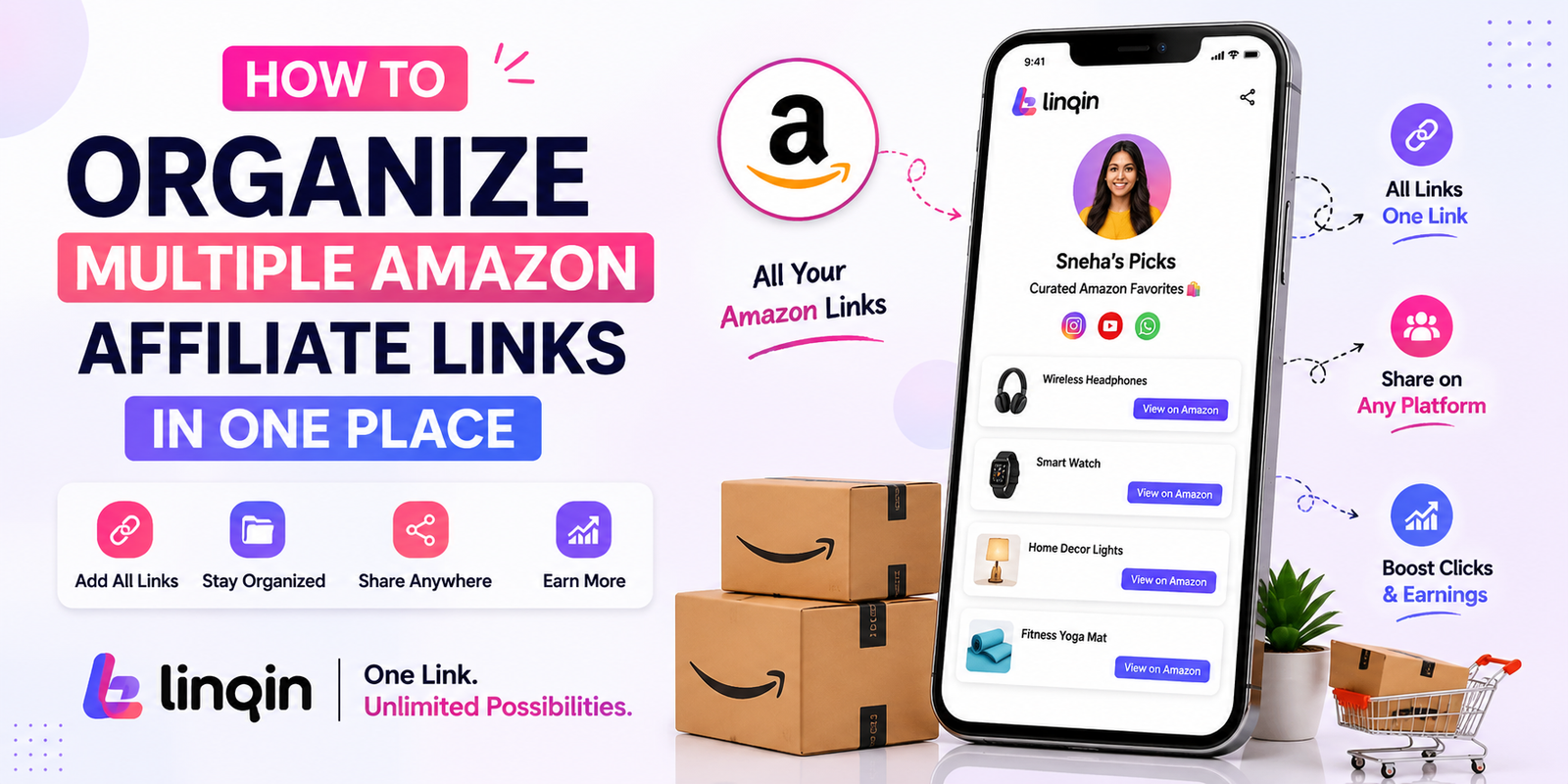
Organize all your Amazon affiliate products in one place with Linqin. Create categories, share one smart link, and simplify affiliate marketing.
How to Organize Multiple Amazon Affiliate Links in One Place
Agar aap Amazon Associates Program use karte hain, to kuch hi dino me aapke paas dozens ya hundreds affiliate links collect ho jate hain. Har product ka alag link WhatsApp, Instagram Bio, YouTube Description ya Telegram par share karna visitors ke liye confusing ho sakta hai.
Isi problem ko solve karne ke liye ek centralized affiliate page bahut useful hota hai. Linqin ki help se aap apne saare Amazon affiliate products ko categories ke hisaab se organize kar sakte hain aur sirf ek link share kar sakte hain.
Is guide me hum step-by-step dekhenge ki multiple Amazon affiliate links ko professionally organize kaise karein aur apni audience ke liye ek clean shopping experience kaise create karein.
Affiliate Products
Category Wise
One Linqin Link
Why Organize Affiliate Links?
Jab aap random affiliate links share karte hain, users ko product dhoondhne me problem hoti hai. Agar sab products ek organized page par available hon, to visitors easily browse kar sakte hain aur relevant products tak jaldi pahunch sakte hain.
Organized affiliate store ke benefits:
✔ Better user experience
✔ Easy product discovery
✔ Professional creator image
✔ One link for all products
✔ Better content organization
Helpful Content + Amazon Affiliate Products + Linqin = Smart Affiliate Store
Categories You Can Create
Apne affiliate products ko category-wise organize karne se visitors ko shopping experience aur bhi better milta hai.
Example Categories:
✔ Smartphones
✔ Laptops
✔ Smart Watches
✔ Home Appliances
✔ Kitchen Products
✔ Beauty Products
✔ Fashion
✔ Books
✔ Office Accessories
✔ Creator Equipment
✔ Gaming Accessories
✔ AI & Software Tools
Har category me sirf relevant products hi add karein taaki audience ko browsing easy lage.
Step-by-Step Guide
Step 1 — Amazon Affiliate Links Collect Karein
Amazon Associates dashboard se apne affiliate products ke links generate karein aur unhe category-wise list bana kar organize karein.
Step 2 — Linqin par Product Listings Banayein
Har product ka title, image, short description aur affiliate link add karein. Product description original aur helpful honi chahiye.
Step 3 — Categories Banayein
Similar products ko ek hi category me rakhein jaise Tech, Books, Beauty ya Home Essentials.
Step 4 — Sirf Ek Link Share Karein
Ab Instagram Bio, YouTube Description, WhatsApp Status, Facebook Page, Telegram Channel aur LinkedIn profile me sirf apna Linqin page share karein.
🌐 Apna Amazon Affiliate Store Linqin par Banayein
Jaise-jaise aapke affiliate products badhte hain, unke links ko manage karna difficult ho jata hai. Har social media platform par alag-alag links share karne ke bajaye, ek professional affiliate store banana zyada practical solution hai.
Linqin aapko ek smart creator page provide karta hai jahan aap apne saare Amazon affiliate products ko category-wise organize kar sakte hain.
Aapke Linqin Affiliate Store me ye sab ho sakta hai:
✔ Smartphones
✔ Laptops
✔ Smart Watches
✔ Home Appliances
✔ Kitchen Products
✔ Books
✔ Creator Tools
✔ Camera Gear
✔ Office Accessories
✔ Daily Essentials
Ab aapko har product ka alag link share karne ki zarurat nahi padegi. Sirf ek Linqin page share kijiye aur visitors easily saare products browse kar sakenge.
🤖 AI se Product Descriptions Jaldi Banayein
Agar aapke paas 50 ya 100 affiliate products hain, to har product ke liye manually description likhna time-consuming ho sakta hai. AI aapki writing speed badha sakta hai aur structured drafts prepare karne me help karta hai.
AI ki help se aap bana sakte hain:
✔ Product Description
✔ Product Highlights
✔ Buying Guide
✔ Product Comparison
✔ SEO Blog Articles
✔ Instagram Captions
✔ Facebook Posts
✔ Email Newsletter
✔ YouTube Video Script
Final content publish karne se pehle hamesha verify karein ki information accurate ho aur description aapki original writing style ko represent kare.
📈 Content ke Through Affiliate Sales Grow Karein
Sirf affiliate links share karne se audience engage nahi hoti. Helpful content create karne se visitors ka trust build hota hai aur woh aapke recommendations ko seriously consider karte hain.
Content Ideas:
✔ Best Products Under ₹500
✔ Best Gadgets Under ₹1000
✔ Product Review
✔ Product Comparison
✔ Top 10 Amazon Products
✔ Daily Deals
✔ Festival Shopping Guide
✔ Budget Buying Guide
Har article ya social media post ke end me apna Linqin Affiliate Store link add karein taaki visitors aur bhi products explore kar saken.
Amazon Affiliate Growth Blueprint
Long-term affiliate success random links share karne se nahi, balki valuable content aur organized recommendations se milti hai.
Choose Your Niche → Create Helpful Content → Add Amazon Affiliate Products on Linqin → Share One Link Everywhere → Build Trust → Grow Audience → Earn Affiliate Income
Jitna valuable content aap publish karenge, utni hi audience aapke affiliate store par wapas aayegi aur naye products discover karegi.
Common Mistakes Jo Beginners Karte Hain
❌ Random Products Promote Karna
Har category ke products promote karne ke bajaye ek niche choose karein. Focused affiliate stores zyada professional lagte hain aur audience ko relevant recommendations milti hain.
❌ Sirf Links Share Karna
Product review, buying guide aur comparison ke bina sirf links share karna generally effective nahi hota. Helpful content visitors ko informed decision lene me help karta hai.
❌ Affiliate Disclosure Ignore Karna
Affiliate links use karte waqt disclosure dena transparency maintain karta hai aur affiliate program ki policies follow karne me bhi help karta hai.
Frequently Asked Questions
Haan. Aap Tech, Books, Fashion, Home Essentials, Beauty, Office Products aur doosri categories ko ek hi creator page par organize kar sakte hain.
Nahi. Agar aap sirf apne affiliate recommendations ko professionally organize karke share karna chahte hain, to Linqin creator page se shuruaat kar sakte hain. Zarurat ke hisaab se baad me website bhi add ki ja sakti hai.
Haan. Audience ko clearly batana chahiye ki kuch links affiliate links hain. Isse transparency bani rehti hai aur affiliate program ki policies ko follow karne me madad milti hai.
Apna Amazon Affiliate Store Linqin ke Saath Grow Karein 🚀
Apne Amazon affiliate products ko ek professional creator page par organize karein, helpful buying guides publish karein aur sirf ek link share karke apni audience ko better shopping experience dein.
Create Your Free Linqin Page →