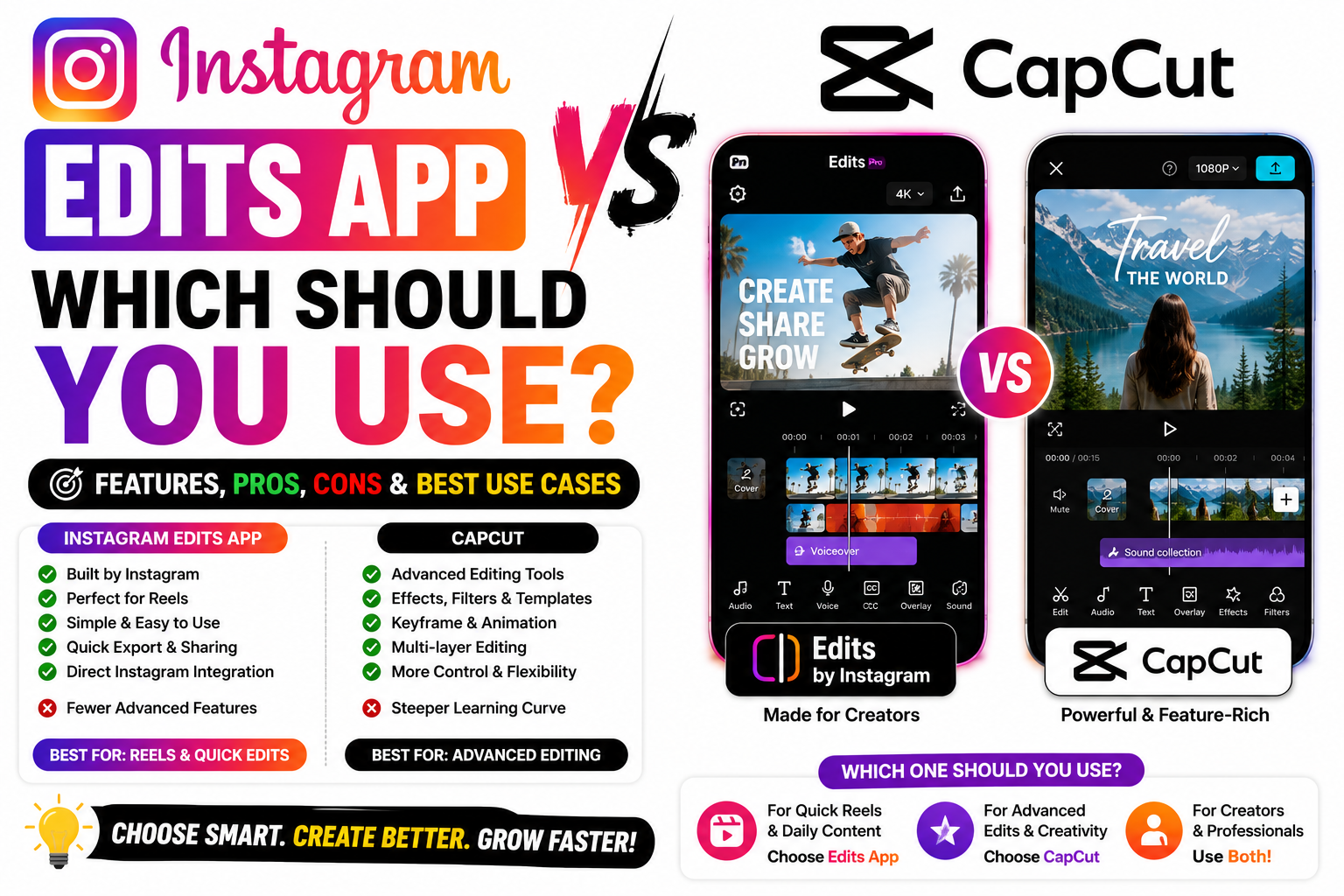
Confused between Instagram Edits App and CapCut? Compare features, AI tools, templates, export quality, editing capabilities, and ease of use to choose the best video editing app for Instagram Reels and content creation in 2026.
Instagram Edits App vs CapCut: Which Should You Use?
If you make Reels, you’ve probably wondered which editor to commit to: Instagram’s Edits app or CapCut. Both are free to start, both are powerful, but they’re built with different goals in mind. Edits is Meta’s own app, launched in 2025 as a direct answer to CapCut. CapCut, made by ByteDance (TikTok’s parent), has been the go-to editor for years.
So which one actually fits you? Let’s break down the real differences — features, price, watermarks, and one factor that specifically matters for Instagram reach.
Head-to-head
The differences that actually matter
Edits exports videos watermark-free for free. With CapCut, removing the watermark generally means paying for CapCut Pro — and Pro pricing has reportedly gone up, with some AI features moving behind the paywall. For a free, clean export, Edits has the edge.
CapCut is the more complete editor — a huge template library synced to trending audio, advanced effects, transitions, background removal, motion tracking, and more. Edits is simpler and cleaner, with an easy multi-track timeline, 4K export, teleprompter, auto-captions, green screen, and AI tools — but fewer templates and effects overall.
CapCut works on both mobile and desktop, so if you prefer editing on a big screen, it wins. Edits is mobile-only — designed for editing and publishing short-form content right from your phone.
Edits keeps your whole workflow inside the Instagram ecosystem — you can publish straight to Reels and see built-in analytics on what performs. Fewer app switches, faster production. CapCut is more neutral and cross-platform, better if you post to TikTok and YouTube too.
A CapCut terms-of-service change gave its parent company broad rights over uploaded content — something to weigh if you do client or brand work. It’s worth reading the current terms of whichever tool you choose.
Reach tip for Instagram: Instagram holds back reels that carry another platform’s watermark (including CapCut) in recommendations. If you edit in CapCut’s free tier, that watermark can quietly cost you reach — so export clean.
So which should you use?
Choose Instagram Edits if: you’re Instagram/Reels-first, want free watermark-free exports, like built-in analytics, and prefer a clean, simple mobile workflow.
Choose CapCut if: you want the deepest features and biggest template library, edit on desktop, or post across TikTok, YouTube, and Instagram — just mind the watermark and Pro paywall.
Honestly, many creators use both — CapCut for heavy edits and its template library, then a clean, watermark-free export for Instagram. There’s no single “right” answer; it depends on where you post and how deep your edits go.
Frequently asked questions
Yes, and it exports without a watermark. Some AI features may become paid in future, but the core app is free right now.
Removing the watermark generally requires CapCut Pro. On Instagram, that watermark can also reduce your reach in recommendations.
CapCut, by a good margin — more templates, effects, and desktop support. Edits is simpler but cleaner and fully integrated with Instagram.
Yes — Edits requires an Instagram account, which makes it slightly less standalone than CapCut.
Great edits deserve a great destination
However you edit your Reels, make sure the viewers they bring in have somewhere to go. Build one clean link page with all your products and links in one place. Start free on Linqin.in.
