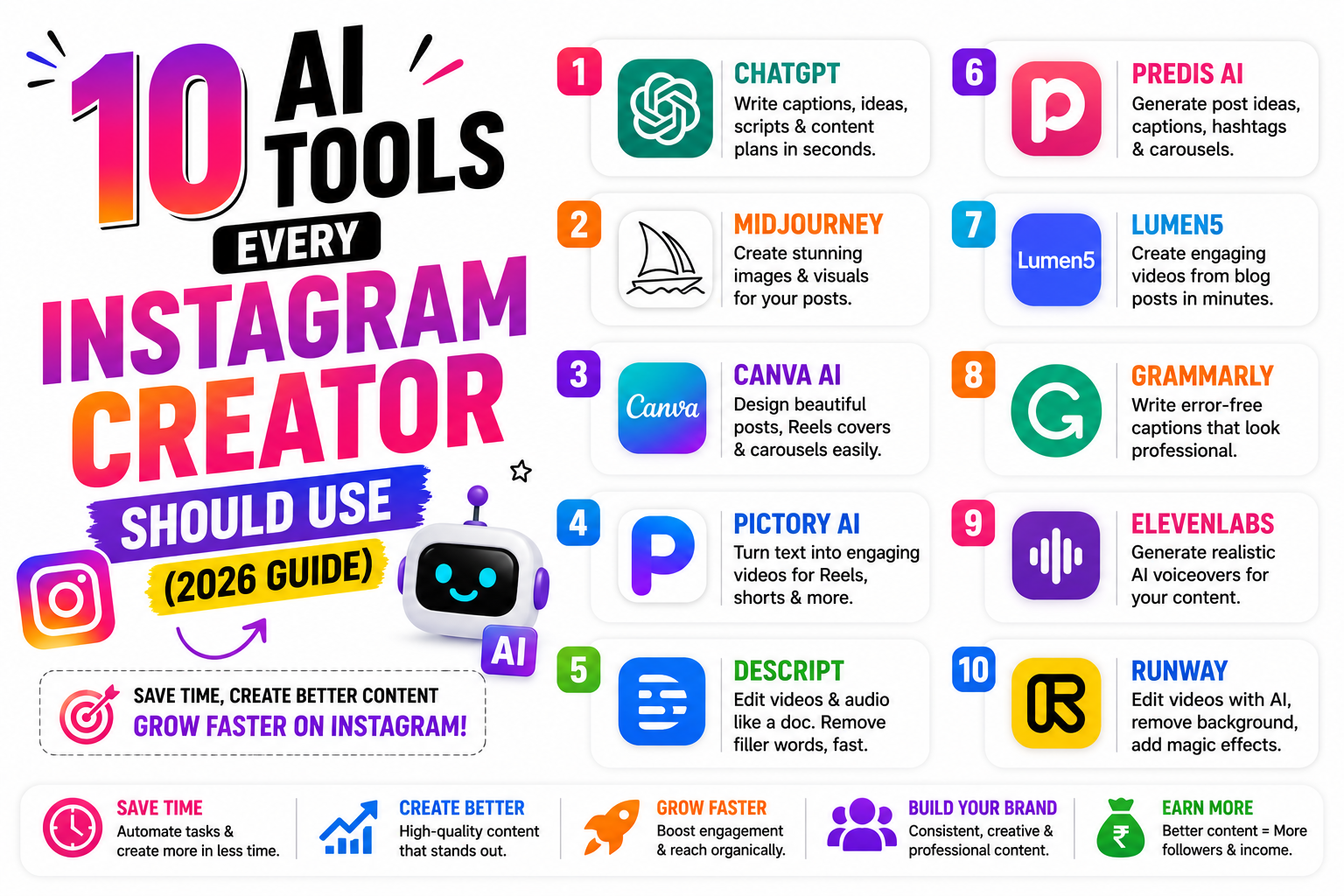
Discover the 10 best AI tools every Instagram creator should use in 2026. Learn how ChatGPT, Canva AI, CapCut AI, Notion AI, Linqin, and other powerful tools help you create content faster, grow your audience, and monetize your Instagram account.
10 AI Tools Every Instagram Creator Should Use in 2026
Creating high-quality Instagram content every day is becoming more challenging. Successful creators aren't necessarily working longer hours—they're building smarter workflows with AI tools that help generate ideas, write captions, edit videos, design graphics, and organize their creator business.
Whether you're a content creator, influencer, coach, freelancer, educator, or small business owner, AI can reduce repetitive work and give you more time to focus on creativity and connecting with your audience.
🚀 Why Instagram Creators Use AI
AI can help brainstorm content ideas, draft captions, suggest hashtags, edit videos, create graphics, improve productivity, and organize content planning. These tools work best when combined with your own creativity, expertise, and review process.
1. ChatGPT – Your AI Content Assistant
ChatGPT is one of the most versatile AI tools for creators. It can help you generate Instagram captions, carousel outlines, Reel scripts, content calendars, marketing ideas, FAQs, email campaigns, and even complete blog posts.
✔ Caption Writing
✔ Reel Scripts
✔ Carousel Ideas
✔ Story Ideas
✔ Content Planning
2. Canva AI – Design Beautiful Posts Faster
Canva AI simplifies graphic design with templates, AI-powered editing, background removal, and design suggestions. Even beginners can create professional-looking Instagram posts and carousels quickly.
• Carousel Posts
• Quotes
• Promotional Graphics
• Story Templates
• Brand Kits
3. CapCut AI – Create Viral Reels
Short-form video continues to be a major format on Instagram. CapCut AI offers automatic captions, templates, background removal, transitions, and AI editing tools that help creators produce engaging Reels more efficiently.
4. Adobe Express AI – Fast Social Media Graphics
Adobe Express AI provides ready-made templates, AI image editing, text effects, and social media resizing. It is particularly useful for maintaining consistent branding across Instagram posts, Stories, and promotional materials.
5. Linqin – Turn Followers into Customers
Growing your audience is valuable, but helping interested followers find your products, services, or contact information is just as important. Linqin provides a professional Link-in-Bio page where creators can showcase everything from one place.
Linqin Features
✅ Professional Link-in-Bio
✅ Sell Digital Products
✅ Razorpay & PayPal Integration
✅ WhatsApp Lead Collection
✅ Portfolio & Service Showcase
✅ Multiple Social Links
✅ Visitor Analytics
Instead of changing your Instagram bio link repeatedly, Linqin lets you direct your audience to one organized landing page where they can discover your latest offers, content, and contact options.
6. Notion AI – Organize Your Content Calendar
Creating content consistently becomes much easier when everything is organized. Notion AI helps creators brainstorm ideas, plan monthly content calendars, write outlines, and keep track of collaborations, sponsorships, and posting schedules.
✔ Content Planning
✔ Campaign Management
✔ Brand Collaboration Notes
✔ Weekly Content Schedule
7. Grammarly AI – Write Better Captions
Even the best content can lose impact because of grammar mistakes or unclear writing. Grammarly AI helps improve spelling, punctuation, sentence clarity, and overall readability while keeping your writing professional.
8. Midjourney – AI Image Generation
Need unique artwork, backgrounds, or concept images? Midjourney generates creative visuals from text prompts, making it useful for promotional graphics, campaign concepts, and eye-catching Instagram posts.
9. ElevenLabs – AI Voice Generation
Creators producing educational videos or narrated Reels can use ElevenLabs to generate realistic AI voices in multiple languages and accents. It can also help speed up content production for tutorials and explainers.
10. Opus Clip – Turn Long Videos into Reels
Instead of manually editing long videos, Opus Clip automatically identifies engaging moments and converts them into short vertical clips suitable for Instagram Reels, helping creators repurpose existing content efficiently.
A Smart AI Workflow for Instagram Creators
Combining multiple AI tools into one workflow can save hours every week while keeping your content organized and consistent.
| Step | Tool |
|---|---|
| Generate Ideas | ChatGPT |
| Plan Calendar | Notion AI |
| Design Graphics | Canva AI / Adobe Express AI |
| Edit Videos | CapCut AI / Opus Clip |
| Publish & Convert | Instagram + Linqin |
Common AI Mistakes to Avoid
❌ Copying AI output without editing.
❌ Posting inaccurate information.
❌ Ignoring your own brand voice.
❌ Using too many AI-generated images without originality.
❌ Publishing without fact-checking.
❌ Forgetting to add Calls-to-Action.
❌ Depending only on AI instead of audience feedback.
Daily AI Creator Routine
| Time | Activity |
|---|---|
| 15 Minutes | Generate ideas with ChatGPT |
| 20 Minutes | Design graphics in Canva AI |
| 20 Minutes | Create Reels using CapCut AI |
| 10 Minutes | Update your Linqin page and reply to followers |
Frequently Asked Questions
No. AI is designed to assist with repetitive tasks like brainstorming, drafting, and editing. Original ideas, authenticity, storytelling, and genuine audience relationships still depend on the creator.
Many beginners start with ChatGPT for content ideas and Canva AI for design because they are easy to learn and cover a wide range of content creation tasks.
A single Link-in-Bio page makes it easier for followers to discover your products, services, social profiles, payment links, and contact information without constantly changing your Instagram bio link.
🚀 Build Your AI-Powered Creator Business
Use AI to create content faster, stay consistent, and spend more time growing your audience. Pair your Instagram strategy with Linqin to showcase your offers, collect leads, accept payments, and turn followers into loyal customers—all from one professional Link-in-Bio page.
Start Growing with Linqin →