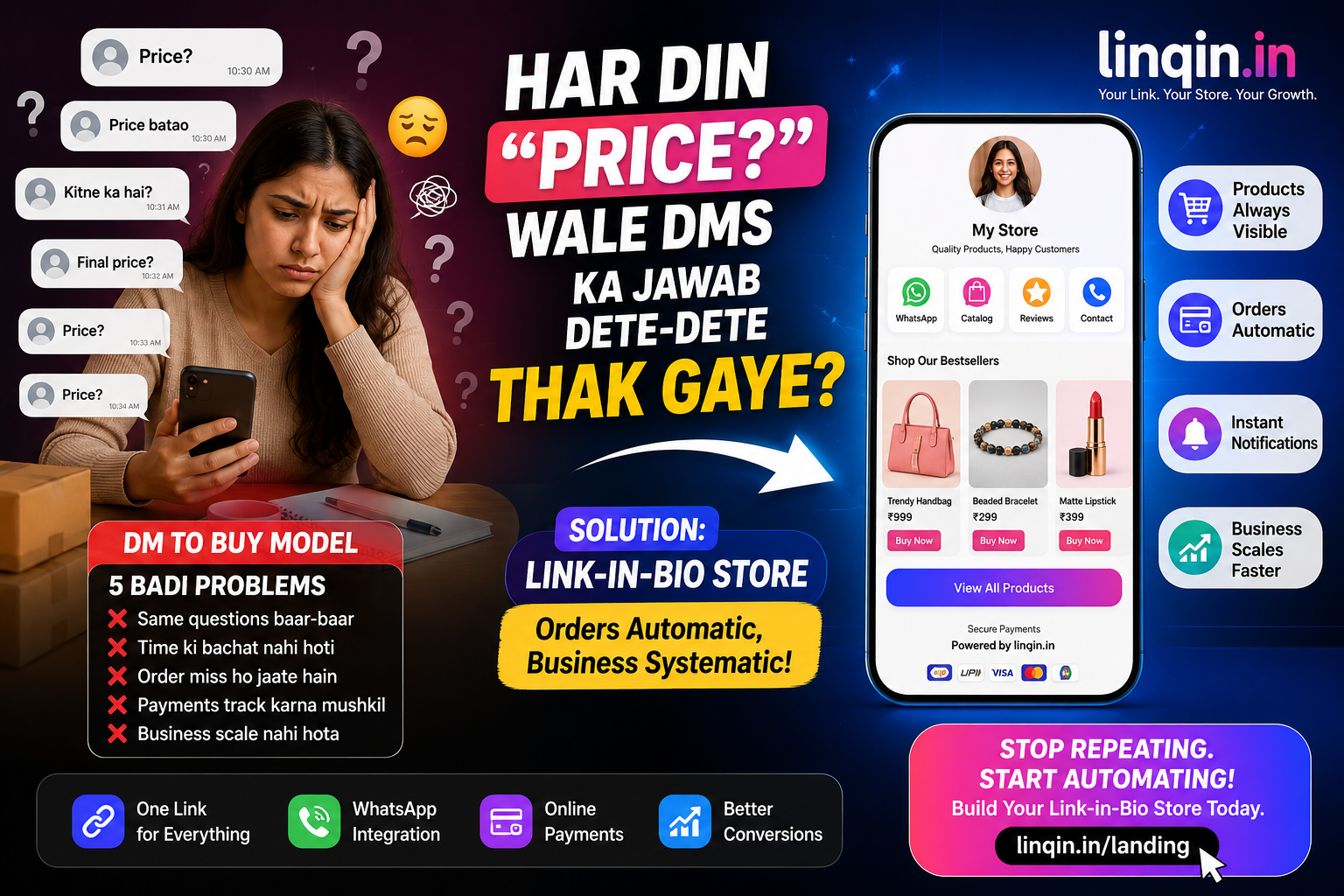
Har din "Price?" wale DMs ka jawab dete-dete thak gaye ho? Jaano DM to buy model ki 5 badi problems, aur kaise ek link-in-bio store se orders automatic aane lagte hain.

Instagram par har din lakhon orders sirf ek line se shuru hote hain — "Price?"
Aap ek reel daalte ho, log dekhte hain, pasand aata hai, aur seedha DM kar dete hain. Aap price batate ho, photo bhejte ho, UPI ID share karte ho, payment ka screenshot maangte ho, address poochte ho... aur ye poora process har ek order ke liye dobara.
Sach ye hai: har DM jo aap miss karte ho, wo ek order hai jo aapne kho diya. 📉
DM to Buy kya hota hai? 💬
"DM to buy" ka matlab — customer aapko message karta hai, aur poora order usi chat me handle hota hai. Price, photos, payment, address — sab DM me.
Shuruaat me ye theek lagta hai. Personal touch hota hai, customer se baat hoti hai. Par jaise hi 10-15 orders roz aane lage, inbox ek chaos ban jaata hai — aur aap seller kam, customer-care executive zyada ban jaate ho.
DM se sell karne ki 5 badi problems 📉
Ye sab problems ek hi cheez se solve hoti hain: ek proper store link jo aap apni Instagram bio me daal sako.
DM Selling vs Store Selling ⚖️
• Har order me 10 messages
• Payment screenshot chase
• Orders yaad rakhne padte
• Raat 2 baje bhi reply
• Scale karna namumkin
• Customer khud order karta
• Price pehle se clear
• Orders dashboard me safe
• 24x7 chalta rehta
• 100 orders bhi easy
Bio link aapka asli storefront hai 🔗
Instagram par aapko sirf ek clickable link milta hai — bio me. Wo ek link decide karta hai ki visitor customer banega ya scroll karke chala jayega.
Agar wo link ek confusing website pe jaata hai, to visitor chala jaata hai. Par agar wo ek clean store page pe jaaye — products, prices, aur ek Buy button — to wahi visitor bina aapko message kiye order kar sakta hai.
Achhe store me kya hona chahiye? 🧩
📸 Product photos. Ek product ke 3-4 angles — conversion seedha badhta hai.
🛒 Cart aur simple checkout. Sirf naam aur phone maango — jitne zyada fields, utne zyada drop-offs.
🔔 Instant notification. Order aate hi WhatsApp/email par alert — customer ko bhi confirmation.
⭐ Affiliate picks aur blog. Products ke saath aapka baaki content bhi ek hi page pe.
Custom orders ke liye photo upload 🎨
Ye feature made-to-order businesses ke liye game-changer hai. Agar aap crochet, resin art, custom jewellery, ya personalised gifts bechte ho — customer ko reference photo bhejni hoti hai.
Instagram se bechne ke 4 practical tips 🔧
✅ Har caption me CTA. "Link in bio to order" har baar likho — log bhoolte hain.
✅ Story highlight banao. "Order Here" naam ka highlight jisme aapka store link ho.
✅ Comment automation lagao. Koi "price" comment kare → link automatically DM me chala jaye.
✅ Reviews dikhao. Customer messages ke screenshots stories me daalo — trust hi conversion hai.
DM band nahi karna — smart karna hai 🧠
Ye samajhna zaroori hai: DM aapka dushman nahi hai. DM aapka relationship channel hai — log wahan sawaal poochte hain, connect karte hain. Yahi Instagram ki taakat hai.
Par DM aapka order management system nahi hona chahiye. Order lena, payment lena, details collect karna — ye ek store ka kaam hai.
Sahi formula: DM me baat karo, order store se lo. 💬 → 🛍️
Shuru kaise karein? 15 minute ka plan 🛠️
Bas. Agla DM jo aayega, usme aap price nahi — link bhejoge. Aur order apne aap aa jayega.
Aapka business DM me atka nahi rehna chahiye. Use ek store do, aur dekho fark. 🌱
