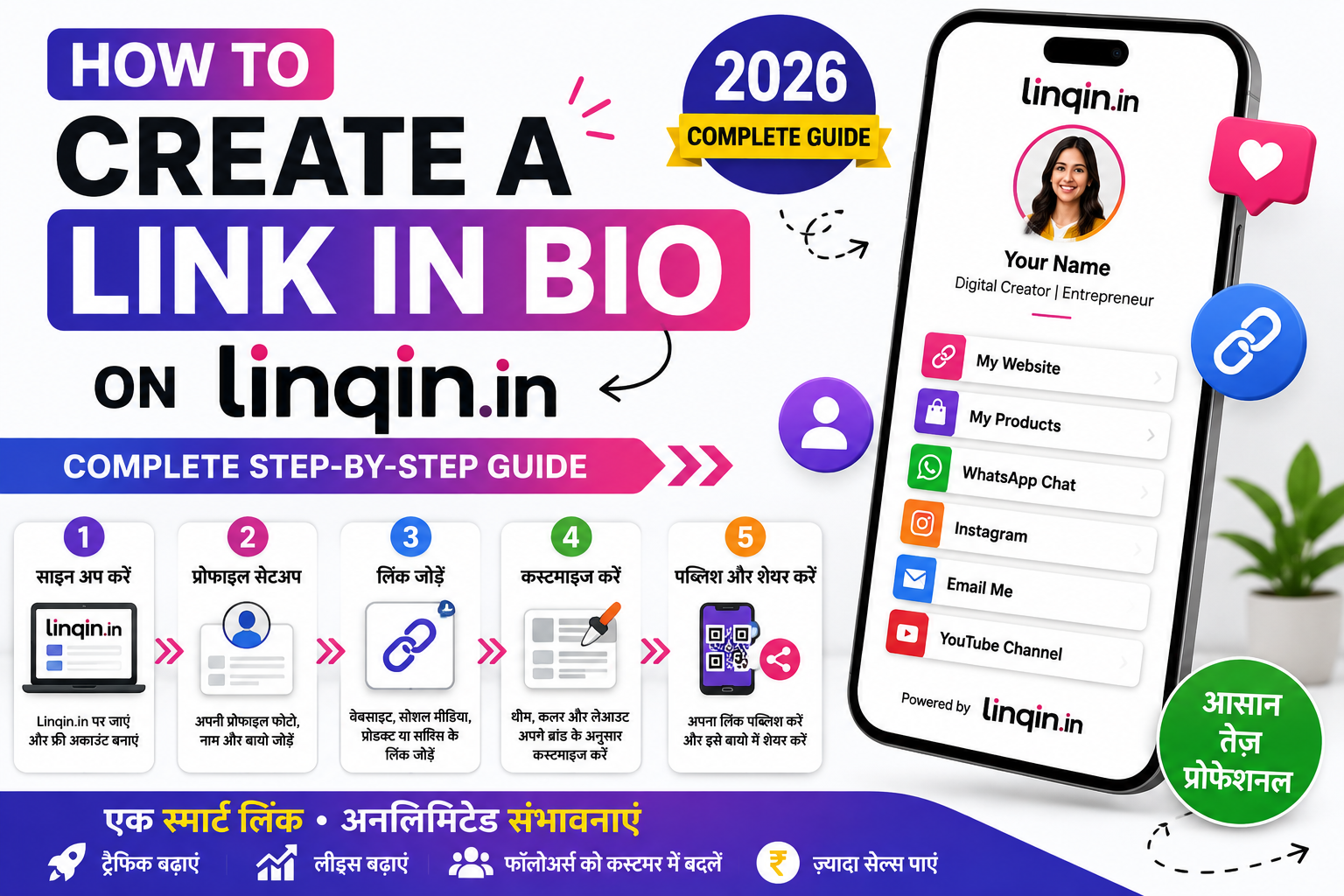
Learn how to create a Link in Bio on Linqin.in step by step. Create your profile, add links, digital products, WhatsApp CTAs, social links and payment options, then share one professional link on Instagram.

How to Create a Link in Bio on Linqin.in
Social platforms only let you share one clickable link — so where do you send people who want your other links, your products, or a way to reach you? That’s exactly what a “link in bio” solves, and Linqin.in makes building one quick, free, and genuinely built for creators and small businesses. This step-by-step guide walks you through creating your own Linqin bio page from scratch, and setting it up to actually convert visitors — not just list links.
First, what is a “link in bio”?
A link in bio is a single mini-page that holds all your important links, products, and contact options in one place. Instead of that lone Instagram or TikTok link pointing to just one thing, it points to your Linqin page — where visitors can browse everything you offer and choose where to go. It becomes your home base on the internet: your storefront, your business card, and your link hub, all at one simple address like linqin.in/yourname.
Who needs a link in bio?
Honestly, almost anyone with an online presence. If you’re a creator or influencer, it’s where your audience finds your latest video, your other platforms, and your collaborations. If you’re a freelancer, it’s a mini-portfolio and a way for clients to hire you. If you run a small business or shop, it’s a lightweight storefront where people can browse and order — especially useful over WhatsApp in India. And if you’re a coach, artist, writer, or just building a personal brand, it’s the one address that ties your whole online world together. The moment you have more than one thing to share, you need a link in bio.
Why use Linqin.in?
There are many link-in-bio tools, but Linqin.in is built with creators and small businesses in mind — especially in India. It’s free to start, gives you your own clean username URL, and goes beyond just listing links: you can showcase and sell products, take orders directly over WhatsApp, and track what’s working with built-in analytics. In other words, it’s designed not only to point people around, but to help you turn attention into real income. Now let’s build yours.
Step-by-step: create your link in bio
Head to linqin.in and sign up — it’s free to get started, with no credit card needed. Use your email or phone number to register, confirm it, and you’re in. This takes under a minute, and once you’re signed in you’ll land in your dashboard, which is the control room for your whole bio page.
Pick the username that becomes your public address: linqin.in/yourname. Choose something short, memorable, and consistent with your handle on other platforms — ideally the exact same name you use on Instagram, YouTube, or your brand. This consistency helps people (and search engines) recognise you as one identity. Your username is how the world will find your page, so pick it thoughtfully.
Add a clear profile photo (or your logo), your name, and a short bio. Keep the bio to one or two lines that instantly say who you are and who you help — for example, “Fitness coach helping busy parents stay healthy.” This is the first thing visitors read, and clarity here is what makes them stay and tap. A good photo and a sharp one-liner do most of the trust-building for you.
Now the heart of it — add the links you want to share. Your website, your latest video, a blog post, a booking page, other social profiles, a newsletter sign-up — whatever matters. Give each link a clear, benefit-led title (“Book a free call” beats “Link 1”), and put the most important ones at the top, since that’s what most people tap. You can reorder them any time, so lead with whatever you most want visitors to do.
This is where Linqin goes beyond a plain link list. You can add products — digital downloads, services, or physical items — right on your page, each with an image, price, and description. Depending on how you set it up, buyers can pay online, be sent to an external checkout, or place an order straight through WhatsApp, which is perfect for Indian audiences who prefer to chat before they buy. This turns your bio page from a signpost into an actual storefront.
Make the page feel like you. Adjust the theme, colours, and background so it matches your brand or vibe. A page that looks intentional and on-brand builds instant trust and makes people take you seriously. Keep it clean and readable — good spacing and a consistent colour scheme beat a cluttered, over-decorated page every time. A few minutes here makes your page look professional.
Link your social profiles so visitors can follow you everywhere, and keep an eye on your analytics to see which links and products get the most taps. Those numbers are gold — they tell you what your audience actually wants, so you can put your best-performing links up top and double down on what works. Explore the extra features too, and add whatever fits your goals.
Once it’s ready, your page is live at your linqin.in link. Now put that one link everywhere it counts — your Instagram bio, TikTok, YouTube “about,” X profile, email signature, WhatsApp, and business cards. The whole power of a link in bio is that this single address works across every platform at once, so you never scatter your audience again. Update it whenever you launch something new, and it keeps working for you around the clock.
Ideas: what to put on your page
Not sure what belongs on your bio page? It depends on your goal, but here are ideas that work well for different people. A content creator might feature their latest video, a “start here” playlist, other social profiles, and a way to support them. A freelancer or service provider might lead with a “book a call” link, a portfolio, testimonials, and pricing. A small business might show its top products, a WhatsApp order button, store hours or location, and reviews. A writer or newsletter creator might put a “subscribe” link first, then their best pieces and social handles.
Whatever you do, always include two things: a way to reach or follow you directly (so you can stay in touch beyond the algorithm), and a clear next step for the person who’s most interested. Everything else supports those two. And remember you can start small — even three good links and one product is a complete, working bio page. You can always add more as you go.
Tips to make your bio link actually convert
Building the page is the easy part; making it work takes a little care. Keep these in mind:
Lead with one clear action. Decide the single most important thing you want visitors to do — buy, subscribe, book — and put it right at the top. Too many equal choices means people freeze and do nothing.
Capture, don’t just point. Add an email or WhatsApp sign-up so you can reach your audience directly later — that’s the difference between renting attention and owning it.
Keep it tidy. A handful of strong links beats a wall of twenty. Remove anything that’s no longer relevant so the important stuff stands out.
Check your analytics and adjust. Watch what gets tapped, then reorder and refine. A bio link should get better over time, not just sit there.
Keep your page working for you
Your bio link isn’t a “set once and forget” project — it’s a small asset that rewards a little ongoing attention. Treat it as a living page. When you launch a new product, add it. When a promo ends, remove it. When you notice from your analytics that one link gets far more taps than the rest, move it to the very top and build around it. These small tweaks compound: a page you refine every few weeks will quietly out-perform one that never changes.
Promotion matters too. A bio link only works if people actually visit it, so mention it naturally — in your posts, your stories, your videos, and your captions. A simple “everything’s in my bio link” call-to-action, repeated often, trains your audience to tap. Over time, the combination of a well-organised page and consistent nudges turns your Linqin page into a reliable little engine that captures interest and turns it into followers on channels you own, sign-ups, and sales — all from that one link.
Common mistakes to avoid
A few small missteps quietly cost people clicks and sales. Steer clear of these:
Too many links. A crowded page overwhelms visitors and buries your best stuff. Trim ruthlessly — every extra link makes the important ones harder to find.
Vague link titles. “Click here” or “My stuff” tells people nothing. Say exactly what they’ll get: “Download the free guide,” “Shop the new collection.”
No clear purpose. If everything is equally important, nothing is. Decide the one main action you want and design around it.
Setting it and forgetting it. An outdated page with dead links and old promos looks neglected. Refresh it whenever you launch or change something.
Only pointing, never capturing. If your page never collects an email or WhatsApp contact, you can’t reach people again. Always give them a way to stay connected.
Frequently asked questions
Yes — you can create your bio page and start using it for free, with no credit card required. You can explore more advanced features as your needs grow.
None at all. Everything is done through a simple dashboard — no coding, no website building. If you can fill in a form, you can build your page.
Yes. You can add products with prices, and let buyers pay online, go to a checkout, or order through WhatsApp — turning your page into a real storefront, not just a link list.
In every profile that allows one link — Instagram, TikTok, YouTube, X, your email signature, and more. That’s the point: one link that works everywhere.
Ready to build your link in bio?
Create your free page in minutes — links, products, WhatsApp orders, and analytics, all at your own linqin.in/yourname. Start free on Linqin.in.
