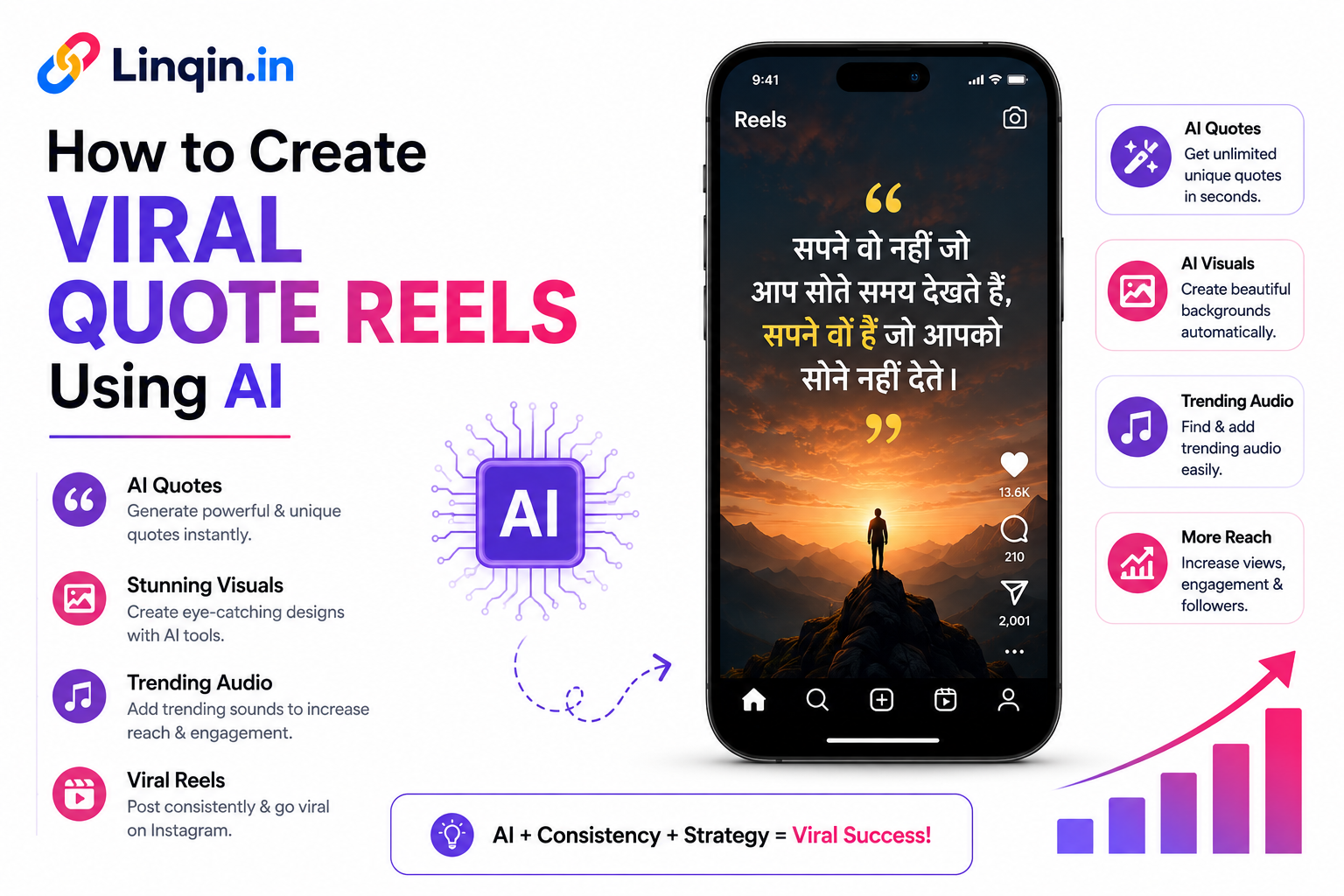
Learn how to create viral quote Reels using AI with powerful quotes, visuals, voiceovers, music, captions, hooks, and Instagram optimization strategies.
How to Create Viral Quote Reels Using AI in 2026
A practical step-by-step guide to creating attention-grabbing quote reels with AI, from finding the right idea to writing the script, designing visuals, adding voiceovers and publishing consistently.
Quote reels look simple. A short sentence, a background video, some music and a few seconds of text. But if you have ever tried making them consistently, you know the real challenge is not creating one reel — it is coming up with good ideas every day.
That is where AI can make the process much easier in 2026. Instead of spending hours thinking about quotes, writing captions, searching for visuals and editing every reel from scratch, you can use AI to speed up the creative process while keeping your own style.
The important part is this: AI should help you create better content, not make your content feel robotic. Your hook, emotion, storytelling and visual identity still matter.
What Makes a Quote Reel Go Viral?
There is no magic formula that guarantees virality. However, successful quote reels usually have a few things in common:
Strong Hook
The first line should make someone stop scrolling.
Emotion
Make people feel something — motivation, curiosity, nostalgia or inspiration.
Easy to Read
Keep the text short, clear and readable on a phone screen.
Shareable Idea
Create something people want to save, share or send to a friend.
Step 1: Choose Your Quote Reel Niche
Before opening an AI tool, decide what kind of audience you want to attract. Random motivational quotes can get views, but a clear niche makes it easier to build a recognizable content brand.
Some ideas include:
- Self-improvement and personal growth
- Business and entrepreneurship
- Study and student motivation
- Relationship and emotional quotes
- Fitness and discipline
- Career and work motivation
- Money and financial mindset
For example, instead of creating generic motivation content, you could build a page around “daily discipline quotes for entrepreneurs.” That gives your audience a reason to follow you.
Step 2: Use AI to Generate Quote Ideas
Now use an AI writing assistant to generate ideas. Don't simply ask for “50 motivational quotes.” Give the AI a specific audience, emotion and style.
“Give me 20 short motivational quote ideas for young entrepreneurs. Make them emotional, realistic and suitable for Instagram Reels. Avoid generic phrases. Each quote should be under 15 words and feel natural.”
Select the strongest ideas and rewrite them in your own voice. This small step can make the final content feel much more original.
Step 3: Turn the Quote Into a Reel Script
A quote alone is not always enough. Turn it into a tiny story using three simple parts:
This structure gives the viewer a reason to keep watching instead of showing the quote immediately.
Step 4: Create the Visuals With AI
Your background should support the emotion of the quote. AI image and video tools can help you create cinematic backgrounds such as a person walking alone in the rain, a sunrise over mountains, a busy city at night or a quiet desk during late-night work.
Keep the visual simple. The quote is the main character. Avoid backgrounds that are so busy that the text becomes difficult to read.
Step 5: Add AI Voiceover or Music
You can make your quote reel more engaging by adding a natural voiceover. AI voice tools can generate narration, but choose a voice that matches your content. A calm voice works well for emotional quotes, while an energetic voice can suit business or fitness content.
If you don't want voiceover, use music and strong text animation. Keep the timing comfortable so viewers can actually read the quote.
Step 6: Edit Your Reel
Now bring everything together in your preferred video editor. A simple quote reel can follow this timeline:
- 0–2 seconds: Strong hook
- 2–6 seconds: Main quote
- 6–9 seconds: Supporting message
- 9–12 seconds: CTA or memorable ending
Use vertical 9:16 formatting and check the reel on your phone before publishing. What looks perfect on a desktop can sometimes be too small or difficult to read on mobile.
Step 7: Write a Better Caption
Don't repeat the exact quote in your caption and stop there. Use the caption to start a conversation.
“Some days you won't feel motivated. That's normal. The difference is whether you still show up.
What are you working on right now? 👇”
Add a small number of relevant hashtags if they genuinely fit the post. More hashtags do not automatically make a reel viral.
Step 8: Turn Views Into Followers, Leads and Sales
Getting views is great, but creators often miss the next step: giving viewers somewhere to go.
Add a clear link to your Instagram bio where people can find your other content, products, services, newsletter or digital downloads.
This is where a creator landing page such as Linqin.in can be useful. Instead of sending followers to different websites, you can create one central page for your important links, products, social profiles and audience actions.
5 Mistakes to Avoid With AI Quote Reels
- Using generic AI-generated quotes without editing them
- Putting too much text on the screen
- Using distracting backgrounds
- Making every reel look completely different
- Focusing only on views instead of saves, shares and profile visits
The goal isn't to produce 100 AI reels as quickly as possible. The goal is to build a repeatable system that helps you create useful, recognizable content consistently.
The Simple AI Quote Reel Workflow
Idea → AI Quote → Hook → Script → AI Visual → Edit → Caption → Publish → Analyze → Repeat
Once you have a repeatable workflow, creating several quality reels every week becomes much easier. Use your analytics to understand which topics and hooks get the strongest response, then create more content around what your audience actually likes.
Final Thoughts
AI has made short-form content creation faster, but it hasn't replaced creativity. The creators who stand out in 2026 will be the ones who use AI as a creative assistant while adding their own perspective, storytelling and personality.
Start with one niche, create a simple quote-reel format and test different hooks. Don't worry if your first few reels don't perform well. Every post gives you information about what your audience wants to watch and share.
And remember: viral content can bring attention, but a good creator funnel turns that attention into an audience you can actually build a business around.
Ready to Turn Reel Views Into Real Opportunities?
Create one simple destination for your Instagram audience, showcase your content, collect leads and promote your products or services.
Create Your Linqin.in Page →