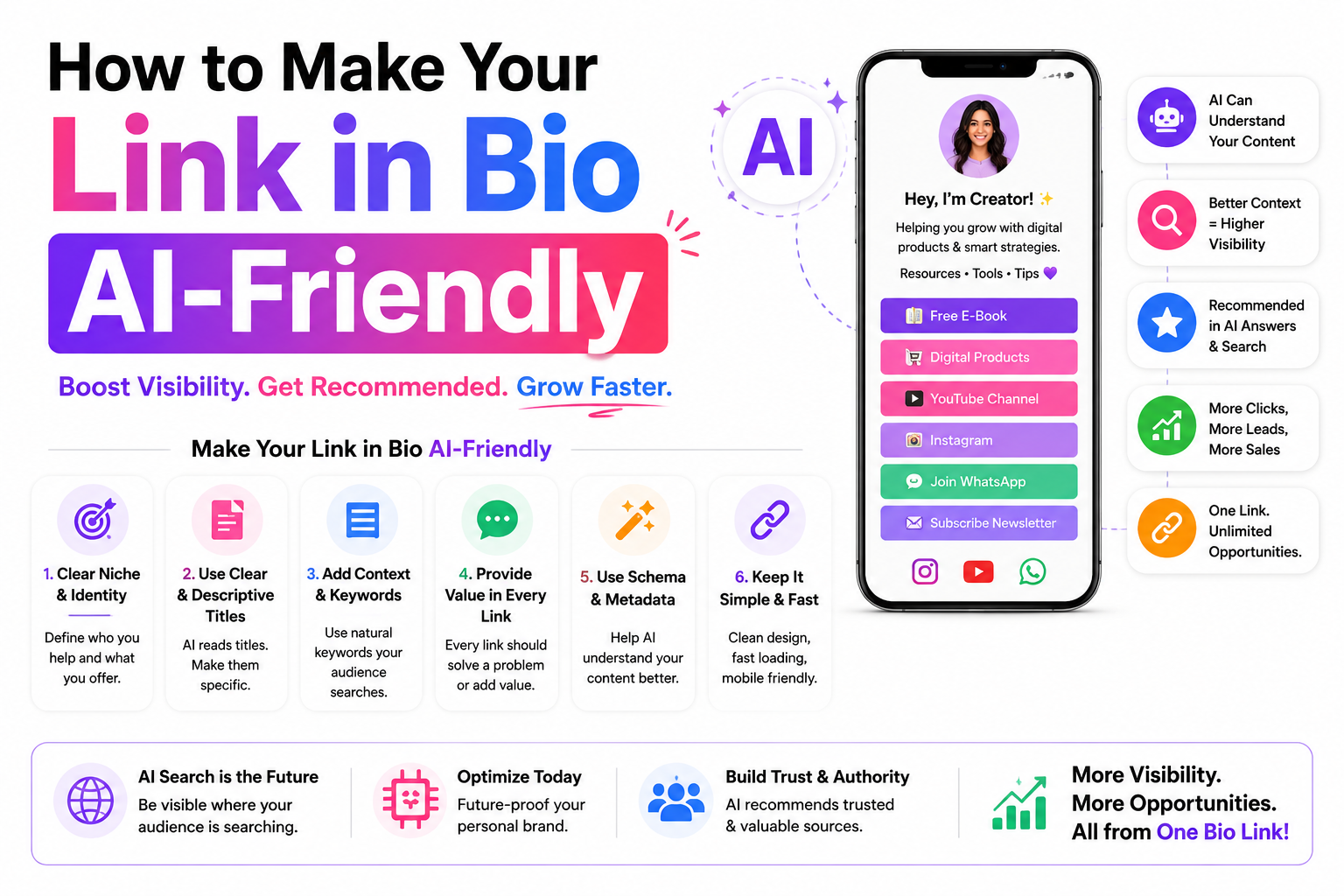
Learn how to make your Link in Bio AI-friendly so it ranks better in ChatGPT, Google AI Overview, Gemini, and other AI search platforms. Discover proven optimization tips for creators and businesses in 2026.
How to Make Your Link in Bio AI-Friendly
AI search engines like Google Gemini, ChatGPT, and Perplexity are changing how people find creators. Instead of just matching keywords, these systems read, understand, and summarize your bio link page before recommending it to users. If your page isn't structured for AI comprehension, you're invisible to the fastest-growing search channel on the internet.
This guide breaks down exactly how AI processes bio link pages and gives you 10 actionable strategies to make yours readable, recommendable, and optimized for AI-driven discovery in 2025 and beyond.
The Shift: Why AI-Friendly Matters Now
Traditional SEO focused on keywords and backlinks. AI search works differently. When someone asks ChatGPT or Perplexity "Who are the best fitness creators in Mumbai?", the AI doesn't just scan titles. It reads entire pages, extracts entities, evaluates expertise signals, and synthesizes an answer. Your bio link page is often the only piece of web real estate AI can associate with your Instagram profile.
Key insight: If your bio link is just a bare list of URLs with no descriptions, no context, and no structure, AI models have nothing to work with. They can't determine your expertise, your niche, or your value proposition. You become un-recommendable by design.
What AI Actually Reads on Your Bio Link
Understanding what AI systems extract from your page helps you optimize the right things. Here's the breakdown:
10 Strategies to Make Your Bio Link AI-Readable
Instead of "Priya Sharma | Linqin", use something like "Priya Sharma | Fitness Coach & Nutritionist | Free Workout Plans". AI models heavily weigh the title when determining what your page is about. The more specific and descriptive, the better AI can categorize and recommend you. Include your niche, location if relevant, and top offering.
If your platform supports meta descriptions, write 2-3 sentences that explain who you are and what visitors will find. Example: "Priya Sharma is a certified fitness coach based in Mumbai offering free workout plans, nutrition guides, and 1-on-1 coaching. Book a session through this page." This paragraph is often the exact text AI uses to summarize your page in search results.
AI models use headings to understand content structure. Your name/brand should be H1. Sections like "My Services" or "Free Resources" should be H2. Individual items under those sections should be H3. Don't just make text bigger and bolder using CSS — use actual heading tags. Many bio link tools support this. If yours doesn't, the text content still helps, but proper headings give AI a clearer map of your page.
A link labeled "YouTube" tells AI nothing. A link labeled "My YouTube Channel — 200+ fitness tutorials, 50K subscribers, new videos every week" gives AI rich context it can use to recommend you. Apply this to every section: your store, your blog, your WhatsApp community, your free resources. Each link is an opportunity to feed AI information about you.
This is the single most impactful change most creators can make. Add a section with 3-5 sentences that cover: who you are, what you do, who you help, and what makes you different. AI models treat this paragraph as your definitive identity statement. Without it, AI has to guess your expertise from scattered link labels. With it, AI has a clear, concise summary to work with.
"Click here" and "linktr.ee/abc123" tell AI absolutely nothing. Use text like "Download Free Meal Plan PDF" or "Join My WhatsApp Fitness Community". AI reads link labels as part of your page content. Descriptive labels double as content signals that help AI understand what you offer without needing to click anything.
Your profile photo, product images, and banner graphics should all have alt text. Instead of leaving it blank or writing "image", use "Priya Sharma, fitness coach in Mumbai, posing in her gym". AI vision models can process this information and connect it to your text content, creating a richer understanding of who you are across multiple modalities.
"Great coach!" is useless for AI. But "Rahul Mehta, software engineer from Bangalore, lost 10kg in 3 months using Priya's meal plans" gives AI verifiable details: a name, a profession, a location, a specific result, and a timeframe. AI models use these details to assess credibility and may even extract them as standalone facts in responses.
Don't assume AI will infer your skills from your links. Create a section that explicitly states your areas of expertise. For example: "Specializes in: weight loss for women over 30, post-pregnancy fitness, meal planning for Indian diets, and home workout routines." These keyword-rich descriptions give AI precise categories to file you under, making you show up for specific queries.
Many AI crawlers are essentially headless browsers that may not execute JavaScript before reading your page. If all your content is loaded via JS after the initial HTML, AI sees an empty page. Choose a bio link platform (like Linqin) that renders content in the initial HTML response. You can test this by disabling JavaScript in your browser and seeing if your content is still visible.
AI-Friendly vs. Not AI-Friendly: Side by Side
The difference is subtle to human eyes but massive for AI comprehension:
How to Test if Your Page Is AI-Friendly
Open your bio link in Chrome, go to Settings > Site Settings > JavaScript, and disable it. Refresh the page. If your content is still visible, AI can read it. If the page goes blank or shows a loading spinner, AI likely sees nothing useful.
Paste your bio link URL into ChatGPT and ask: "What does this page say about the creator?" If ChatGPT gives a detailed, accurate summary, you're in great shape. If it says "I can't access this link" or gives a vague response, your page needs work.
Right-click your page and select "View Page Source". Search for your name, niche, and link descriptions in the HTML. If you can find them in the raw HTML, AI can too. If the source is mostly empty divs and script tags, that's a problem.
Go to Perplexity.ai and search: "Who is [your name] and what do they offer?" Perplexity actively crawls pages in real-time. If you show up with accurate information, your AI optimization is working. If it pulls data only from your Instagram, your bio link isn't helping.
Frequently Asked Questions
No. In fact, it helps. Everything that makes your page AI-readable — descriptive titles, proper headings, alt text, real content — also improves traditional SEO. Google's own AI features (AI Overviews, SGE) use the same signals. You're not choosing between SEO and AI optimization. You're doing both at once.
Generally no. If your bio link requires users to log in before seeing content, AI crawlers hit the same wall. Keep your key information public — your about section, link descriptions, and testimonials should be visible without logging in. Paid products can stay behind a paywall since AI only needs to know they exist, not access their full content.
Absolutely not. AI models are sophisticated enough to detect keyword stuffing and may actually penalize pages that look manipulated. Write naturally for humans first. Use your real niche terms organically. "I help women over 30 lose weight through Indian diet plans" is natural language that happens to contain great keywords. "Weight loss tips diet plan fitness coach Mumbai women" is obvious stuffing that could hurt you.
AI models re-crawl pages periodically, but significant content changes trigger re-crawling faster. Update your about section when your offerings change. Add new testimonials monthly. Refresh your link descriptions when you launch something new. Think of it as keeping your AI profile current, similar to how you'd update a LinkedIn profile.
Yes. Linqin renders content in HTML (not behind JavaScript), supports custom page titles and meta descriptions, allows proper text content in sections, and provides image alt text fields. These are all the technical foundations needed for AI readability. The remaining work — writing good descriptions, proper headings, and an about section — is up to you as the creator.
Build a Bio Link That AI Actually Understands
Linqin pages render in HTML, support meta tags, and let you add the rich content that AI needs to recommend you. Start building your AI-friendly bio link in minutes.
