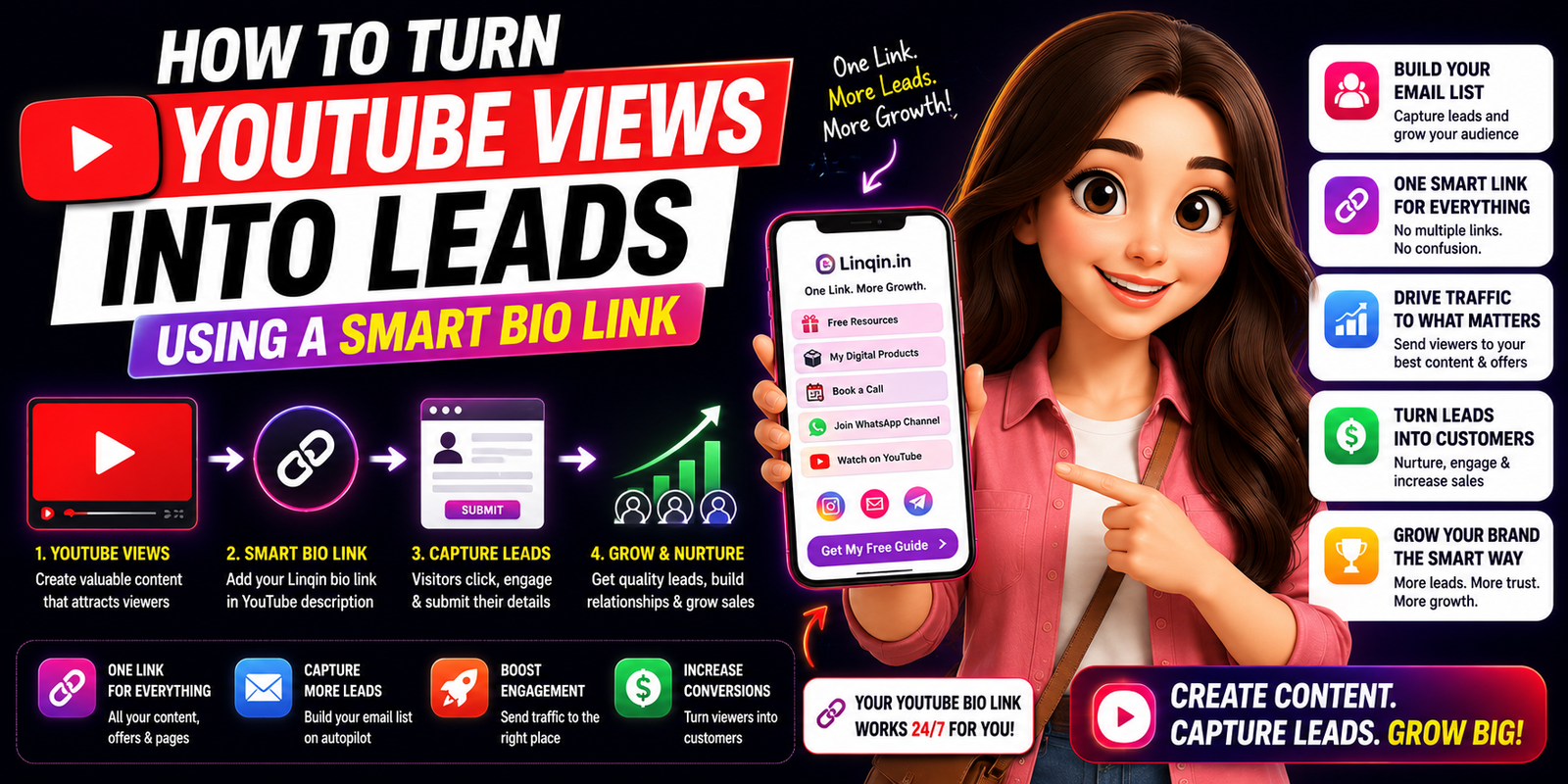
Learn how to turn YouTube views into leads using smart bio links, lead magnets, landing pages, and creator funnels. A complete 2026 guide to grow your audience and sales.
How to Turn
YouTube Views into Leads
Using a Smart Bio Link
Millions of creators get views and get nothing in return. Here's exactly how a single, smart link-in-bio transforms passive viewers into paying customers — on autopilot.
The YouTube Lead Gap Is Real
YouTube sends over 500 million people to external links every single day. Yet 91% of creators have no structured system to capture those visitors as leads. The gap between views and revenue is not a content problem — it's a conversion infrastructure problem.
Why Your Current Link-in-Bio Is Losing You Leads
Most creators drop a single URL in their YouTube description or channel bio and call it a day. That's like running a store with no entrance sign. Here's what's going wrong:
One generic link for every video
A viewer watching your "email marketing" video lands on your homepage — not your email course. Context mismatch = instant bounce.
No call-to-action above the fold
Plain Linktree-style pages with 10 equal buttons create decision paralysis. Visitors leave without clicking anything.
Zero lead capture mechanism
Sending traffic to your website without a lead magnet, form, or opt-in is burning audience you worked months to earn.
No tracking — no improvement
You have no idea which video drives traffic, which button gets clicks, or why someone drops off. You're flying blind.
What Actually Is a "Smart" Bio Link?
A smart bio link isn't just a list of URLs. It's a mini landing page that knows where your viewer came from, what video they just watched, and presents the most relevant next step — automatically.
The 5-Step YouTube → Lead System
Here's the exact framework. Each step builds on the last. Skip one and the whole funnel leaks.
Pin your smart bio link URL in every video description (line 1)
YouTube shows only 2–3 lines before the "Show more" fold. Your link must be on line 1, before any text. Prefix it with an action verb: "→ Get the free template:" not just a raw URL.
Add a UTM tag per video so you know which content converts
Append ?utm_source=youtube&utm_content=video-title to your bio link URL. Your analytics will then show exactly which videos bring leads — and you can double down on those topics.
Build a lead magnet that directly extends the video's value
The #1 rule: your freebie must be the logical "next step" after the video. Tutorial video? Offer the template. Strategy video? Offer the checklist. Review video? Offer the comparison sheet. Generic freebies like "free newsletter" convert at 2%. Specific, relevant freebies convert at 30%+.
Mention the link verbally at 30%, 60%, and end of video
Viewers who hear you mention the link three times are 4× more likely to click than those who only see the description text. Be specific: "I put the exact prompt template I used in the link in my bio — scroll down, first link."
Set up a 3-email welcome sequence that delivers value immediately
The moment someone opts in, send: Email 1 (instant) — the promised freebie. Email 2 (Day 2) — your single best piece of content. Email 3 (Day 4) — a soft offer or community invite. This sequence turns a cold opt-in into a warm lead before they forget who you are.
Lead Magnet Ideas by Niche
The right lead magnet matches your content exactly. Here's what works for the most common YouTube niches:
| YouTube Niche | Top Lead Magnet | Avg. Opt-in Rate |
|---|---|---|
| 💼 Business / Marketing | Strategy template or swipe file | 34% |
| 💻 Tech / Coding | Code snippet repo or cheat sheet | 41% |
| 🎨 Design / Creative | Asset pack or Figma/Canva template | 38% |
| 💪 Fitness / Health | Workout plan PDF or meal tracker | 29% |
| 💰 Finance / Investing | Calculator spreadsheet or watchlist | 45% |
| 📚 Education / Courses | Mini-course sample or study guide | 36% |
Tools to Build Your Smart Bio Link
You don't need to code anything. These tools let you build a converting bio link page in under an hour:
- Linqin — The most powerful option for creators who want analytics, UTM tracking, and email capture in one place. Connects directly to your email provider.
- Stan Store — Great for selling digital products directly from your bio link page. Built for creators.
- Beacons.ai — Strong free tier with beautiful templates and media embedding.
- Carrd — For creators who want full design control. Requires more setup but infinitely customisable.
- ConvertKit's Link Page — Best choice if you already use ConvertKit for email marketing. Seamless integration.
- Your own domain — Routing yourdomain.com/free to a dedicated landing page always outperforms third-party bio tools on trust and conversion. Worth the 1 hour of setup.
Metrics to Track Every Week
What gets measured gets improved. Track these five numbers in your smart bio link dashboard:
- Click-through rate (CTR) from description: YouTube shows this in your Studio analytics. Aim for 0.5–2% of video views clicking the link. Below 0.3%? Rewrite your description CTA.
- Opt-in rate on bio link page: Visitors ÷ email signups. 20% is baseline. 35%+ is excellent. Low opt-in rate = wrong lead magnet or weak headline.
- Top traffic video: Which specific video drives the most bio link visitors? Create 3 more videos on that exact topic.
- Lead-to-open rate on welcome email: If your welcome email open rate drops below 50%, your lead magnet delivery is broken or your email subject line is weak.
- Revenue per lead (long term): Divide monthly revenue from email list by total active leads. Growing this number means your nurture sequence is maturing.
Stop Letting Views Go to Waste
Set up your Linqin smart bio link in 10 minutes and start capturing leads from every video you've ever posted.
Build My Smart Link Free →