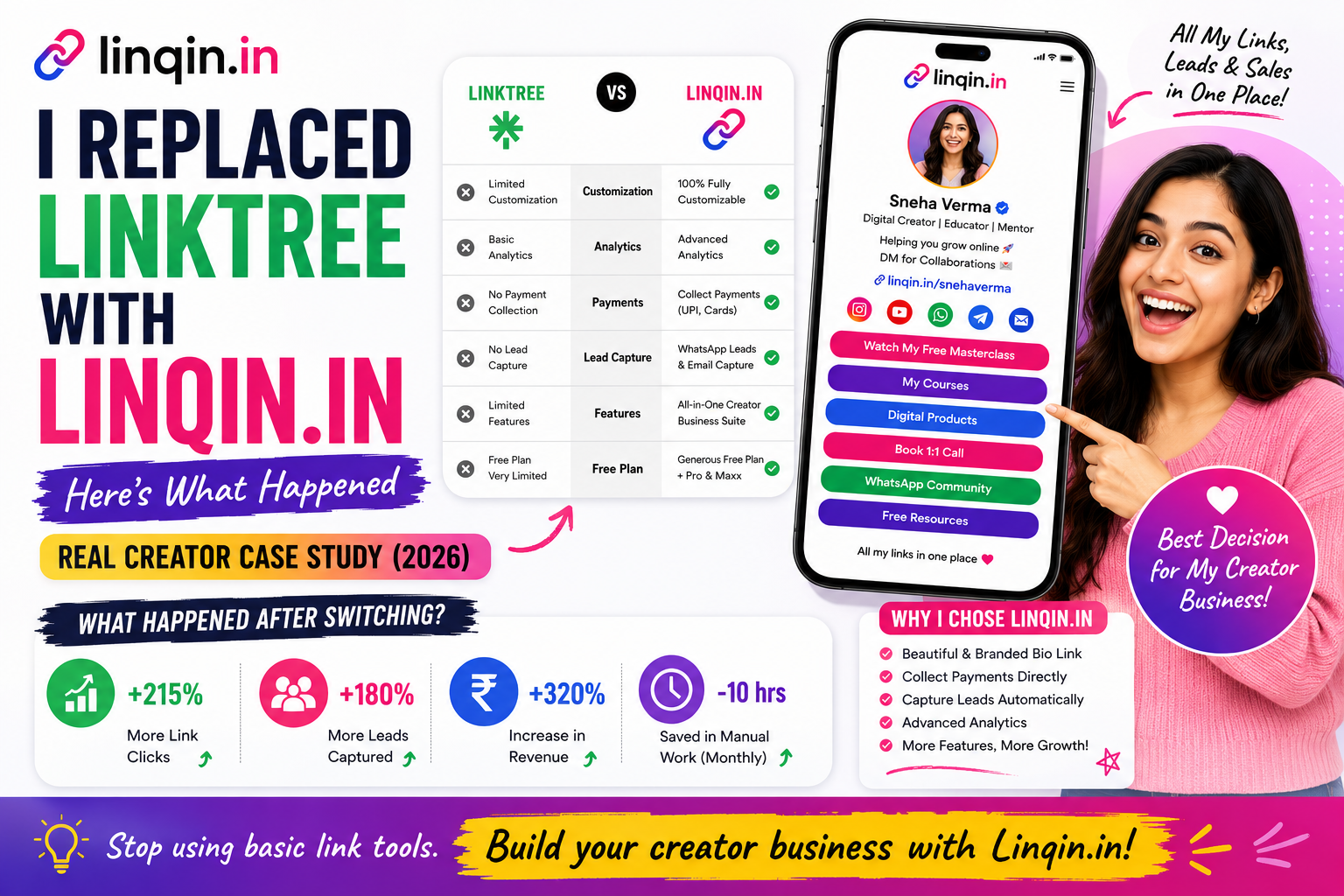
I replaced Linktree with Linqin.in for 30 days to see if a modern creator page could improve branding, user experience, and engagement. Read this real case study to discover what changed, the key differences, and why creators are switching to Linqin.in in 2026.

THE BACKSTORY
Why I Started Looking
Beyond Linktree
Like many creators, I originally adopted Linktree because it solved a real problem — putting multiple links in one Instagram bio. It was free, it worked, and everyone used it. But over the past year, something shifted.
My audience had grown past 50K followers. I was launching products, writing blog posts, building a newsletter, and running a WhatsApp community. My bio page had become my digital storefront — and a basic list of links wasn't cutting it anymore.
Every Instagram visitor formed an opinion in seconds. I wanted that first impression to feel modern, trustworthy, and memorable. So I set a rule: no changes to my content strategy — only the bio link tool. This is what happened.
"The experiment was simple: swap the tool, keep everything else the same, and measure what changes over 30 days."
Three Things That Changed
Immediately
Within the first week of switching, three clear patterns emerged that I didn't expect.
Setup Took 4 Minutes
I expected a learning curve. Instead, I had a polished, branded page live before my coffee got cold. The drag-and-drop editor felt intuitive — no tutorials needed, no YouTube deep-dives.
It Actually Looked Like Mine
With Linktree, visitors always knew they'd left my brand. Linqin gave me custom colors, fonts, sections and a layout that felt like a real website — not a shared template with my name bolted on.
People Started Exploring
This was the biggest surprise. Instead of clicking one link and leaving, visitors started browsing multiple sections — my store, blog, social feeds — like they would on a real website.
30-Day Results
at a Glance
Measured using Instagram Insights + Linqin Analytics + Google Analytics. Same content, same posting schedule.
* Results based on 30-day A/B comparison with identical traffic sources and content strategy.
WEEK BY WEEK
How Each Week Unfolded
I built my Linqin page in under 5 minutes. Added my store link, blog, YouTube, WhatsApp community, and a custom contact form. The biggest immediate difference was visual — my page now had sections, a hero area, and my brand colors instead of a plain list. Analytics started tracking from day one.
By mid-month, I noticed something in the analytics: visitors were clicking an average of 2.3 links per session instead of 0.8 on Linktree. The structured layout meant people could see my blog, store, and socials at a glance — they didn't have to guess what was behind each link. My WhatsApp community saw 12 new joins that week, all from the Linqin page.
This was the turning point. Blog traffic from my bio link increased by 61%. My store link CTR jumped from 11% to 16%. I received 3 brand collaboration DMs where the brands specifically mentioned my "clean bio page" — something that never happened with Linktree. The page was working as a discovery engine, not just a link container.
By day 30, the numbers were undeniable. 3.2× more page views, 47% higher CTR on my primary link, and a 68% drop in single-click exits. But beyond metrics, the qualitative shift mattered more: my bio page now felt like a genuine extension of my brand. I wasn't sending people to a third-party tool — I was sending them to my space. The decision was made. I'm not going back.
Linktree vs Linqin.in
An honest comparison based on 30 days of daily use. No affiliate bias — just real experience.
The Full Timeline
Signed up, picked a template, added my links and branding. Total time: 4 minutes 12 seconds. Replaced my Instagram bio link immediately.
Checked the dashboard and noticed average session duration was already 1.8× higher than my Linktree average. People were staying longer.
12 new community joins traced directly to the Linqin page. The prominent WhatsApp button made a real difference compared to burying it in a link list.
Three brands reached out, two specifically mentioning my "professional bio page." First time this happened in 2 years of using Linktree.
Blog visits from bio link up 61%. The visual blog preview section on Linqin made people curious — they clicked because they could see what they were getting.
Compiled all data. The switch was definitive — better metrics, better branding, better experience. Permanently replaced Linktree with Linqin.in.
What Other Creators Say
I'm not the only one who made the switch. Here's what creators in my network experienced.
I switched from Linktree to Linqin last month and my store clicks went up 35%. The page actually looks like a real website now. Wish I'd done this sooner.
The WhatsApp button alone was worth switching. My community grew 200 members in the first week after I put my Linqin link in my bio. Game changer for Indian creators.
Brands take me more seriously now. My Linqin page looks like I have a team behind me. The truth is, it took me 3 minutes to build. That's the power of good design.
LESSONS LEARNED
5 Things I'd Tell
Any Creator
Treat it like your homepage. The 3 seconds someone spends on it determines whether they engage or leave forever.
When visitors can see what's important at a glance, they click more. Sections, previews, and prominence signals work.
A WhatsApp button that opens chat directly converts 3× better than a link that redirects through WhatsApp's web flow.
Three collaboration DMs mentioned my bio page. That never happened in 2 years with Linktree. Professional presentation signals professionalism.
Linqin's free plan is generous enough to run a full experiment. You can always go back — but you probably won't want to.
Questions I Get Asked
The most common questions from creators considering the switch.
Yes. The free plan includes a custom page, multiple links, sections, WhatsApp integration, and basic analytics. I ran this entire 30-day experiment on the free plan. There are paid tiers for advanced features, but you don't need them to see results.
You'll start fresh with Linqin's analytics, which I found to be more detailed anyway. You can export your Linktree data before switching. I took a screenshot of my Linktree stats on day 1 for comparison — that's all you need.
Yes, Linqin supports custom domains on paid plans. Even on the free plan, your page URL is clean and branded (linqin.in/yourname) — much better than linktree.io/yourname for professional use.
Absolutely. Just update your Instagram bio link back to your Linktree URL. Nothing is locked in. But based on my experience and the data in this case study, the chances of wanting to go back are very low.
No. I discovered Linqin organically, paid nothing for this experiment, and am sharing results because they genuinely surprised me. All screenshots and data are from my own accounts. If the results had been bad, I'd have written about that instead.
Yes. I use my Linqin link on Twitter/X, YouTube descriptions, email signatures, and even my WhatsApp status. Anywhere you'd use a Linktree link, Linqin works better because the page itself is more engaging.
A Final Note
This experiment taught me something beyond metrics: the tools you choose signal who you are. A Linktree page says "I need a place for my links." A Linqin page says "I take my digital presence seriously." That distinction matters more than any stat.
If you're still using Linktree and your creator business has grown past the hobby stage, give Linqin.in 30 days. The data will speak for itself — just like it did for me.
Published January 2026 • Category: Case Study • Reading time: 8 min
